Thursday, May 23, 2013

1:54:00 pm Posted by Unknown No comments Posted in ,
Google,the leading search engine worldwide,was founded in 1998 by Stanford University graduate students Larry Page and Sergei Brin.


Sergei Brin and Larry Page


While at Stanford in 1996,Page and Brin began developing a search engine they eventually entititled BackRub. This search engine was designed to look at the connecting links between web pages in order to determine a site's authority. In 1998,Page and Brin set up their first data center in Page's dorm.


With the encouragement of fellow Stanford alum David Filo, who started Yahoo a few years earlier, Page and Brin decided to start a company and started looking for investors to back them. Andy Bechtolsheim, one of the founders of Sun Microsystems, invested $100,000 in the company after receiving a demo of their search technology. Eventually the pair raised over $1M.

Google, Inc. was established on September 7, 1998 in a friend's garage in Menlo Park, California. Page and Brin hired their first employee, Craig Silverstein, who was later to become Google's Director of Technology.

In their humble beginnings, Google served over 10,000 queries a day and quickly gained a reputation as a trustworthy source of information. By 1999, it was serving 500,000 queries a day and the company moved from the unassuming four walls of a garage to the now mega Googleplex headquarters in Mountain View, California.

Google achieved praise and publicity as news spread rapidly through online and offline media as well as their receipt of numerous awards and recommendations. Their audience continued to grow along with their reputation for effectiveness, relevance, speed and reliability.

In 2000, Google replaced Yahoo's own internal search engine as the provider of supplementary search results on Yahoo. Now, with more than 50% share of the total search market, Google provides search results for numerous search engines on the web.

Google has become all-important to both search engines and search engine optimization specialists alike. The other search engines have a tendency to mimic any algorithmic changes made by Google. 

Likewise, search engine optimization specialists continually study the changes as well in order to provide their clients with the best search engine rankings.


Source: internet

Your blogger

Monday, May 13, 2013

4:16:00 pm Posted by Unknown No comments Posted in
SEO tips for beginnersBlogging is more than just about creating an online space for yourself and putting up content there.You have to be the best in order to compete with the best.But even becomes less important when it comes to optimizing your blog for search engines.
After all,you want your great content to reach your potential readers,right?Other wise,what's the point?This is the part where Search Engine Optimization(SEO) come in.
In this post,I'll take you move on,make sure you've covered the following parts in our blogging series.


Google Webmaster tools


          Google webmaster Tools is your friend! Whether you like Google oR not,you will have to sign up for Google Webmaster Tools(GWT).GWT is basically a dashboard wher you can not only get yourself verified as an official owner of your site,but also get access to a lot of tools,features,and reports.With GWT,you can change how GoOgLe sees your website,and even receive messages from Google regarding updates,and errors found on your website.

with GWT,you can:

  • View crawl errors,crawl stats,blocked url's index
  • Fetch as Google - Pretty handy for fetching data for your website and submitting it to index to ensure that it's indexed more quickly.
  • View search queries,and interenal/external links.
  • Submitting sitemap.
  • ...and much more.

Submitting Sitemap


          The first thing to do after making a proper website or blog is to create a sitemap,and submit it to Google.A sitemap is basically a listing of the contents of your blog,sort of like a table of contents.It needs to be submitted to search engines so they know what content to find on your blog.We recommend that you put up some content first before creating and submitting a sitemap.Around 10 posts on your blog should be enough to get you started.

When you submit a sitemap,search engines use the data on that sitemap to locate your site and your data,and index it.You might have noticed that your site didn't appear on Google after you created it.Well,to get it into search results,Google first needs to index it.And to make Google index it soon,you submit a sitemap.


To submit a sitemap,you first need a sitemap generator.For blogger blogs,you can use the tool on the following link.


  • Blogger sitemap generator

If you're using wordpress,the you just need a plugin called "Google XML Sitemaps".Either way,it's a simple process and only takes a few simple instructions.


Keep monitoring your rank and statistics


          Now that you're a blogger and have started generating good content,it's time you should start monitoring your success.Keep track of your PageRank,which comes out every three month. The last one came in  February this year.You should also keep a check on your Alexa Toolbar ranking.For monitoring your website statistics,you should use Google Analytics.


Friends that's all for now and you can also download google's seo optimization guide here


Thanks for your support...Like,comment and share.

____----Our hack is Yours----____

Your blogger

Tuesday, May 07, 2013

10:57:00 am Posted by Unknown No comments Posted in
Secret behind "allaboutrajni.com" ,Rajnikanth website revealed:

The new website of rajnikanth "allaboutrajni.com" works only when you are not connected to the internet.
It says that this website runs with rajni power but the secret behind this website is revealed common let's show off it to this open world:

Now lets crack it,I mean lets find out how it is working:

when you visit the site the site gets cached by the browser:

To get started follow these procedure:

1.Open "www.allaboutrajni.com" website and when it show remove your internet connection don't do anything.

2.Open your browser's "developer console".

3.Navigate to network tab.

4.Click on header tab below...You can see the following code....


Request URL:http://www.desimartini.com/allaboutrajniV1/config.xml?1174093192 Request Method:GET Status Code:200 OK


Info: The code above is for sending a Get request to website.when the response is broken....it gets to know that we are not connected to the internet and then the cached website acts accordingly.

If you click any one of the config.xml file displayed at the right side of the network tab you can see the code below:


" MACHA YOU ARE CRACKING IT BUT RAJNI SAYS - RASKALA "


Enjoy this site friends...
Do comments and share this to your buddies:


____----Our Hack Is Yours----____

Your Blogger

Monday, February 25, 2013

8:10:00 pm Posted by Unknown 2 comments Posted in

New Floating Social Sharing Bar Widget for Blogger
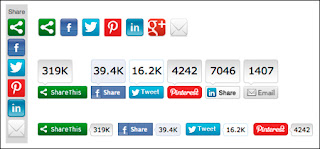


New Fixed / Floating Social sharing Horizontal Bar Widget for Blogger. This widget is requested by one of way2blogging reader, and thanks for requesting this new widget for you as well as for our Readers. 
Coming to this widget, it is horizontal social sharing bar widget with counter and is displayed in above the post body. while you scrolling this horizontal social bar is fixed to the top of Post. which will give to readers to share the page immediately by the floating bar. This widget comes with TwitterFacebookGoogle plusPinterest, StumbleUpon and Digg buttons.

LIVE PREVIEW

HOW TO ADD FLOATING SOCIAL SHARING BAR WIDGET?

First,
  1. Login to New Blogger Dashboard > Choose your Blog and Click the More Options Dropdown
  2. Select the Template > Click on Edit HTML > Proceed
  3. Check/Tick the Expand Template Widgets checkbox
Just follow 3 Simple steps,

THE JQUERY PLUGIN!

As always, it is jQuery based widget, and your blog must have the jQuery plugin. if your blog already have a latest jQuery plugin, then Ignore this step and directly follow the Second step.
If not add the below snippet code before </head> tag
<script type="text/javascript" src="http://ajax.googleapis.com/ajax/libs/jquery/1.8.2/jquery.js"></script>

THE SOCIAL SCRIPTS

This Code contains jQuery calls and Social button scripts and styles, and those are loads only in Post Pages which will decrease, load time when you on home or other pages. ;)
Add the below snippet code before </head> tag
<b:if cond='data:blog.pageType == &quot;item&quot;'>
<style type='text/css'>
/*<![CDATA[*/
 #w2bSocialFloat {clear:both;padding: 6px 0;display:block;background:#FFFFFF;}
 #w2bSocialFloat td{padding:4px;margin:0;border:none;}
 #w2bSocialFloat td iframe{max-width:82px;width:82px !important;}
 #w2bSocialFloat.w2bFloatSocial{position: fixed;top:0;z-index:9999999;border-bottom:1px solid #ccc;-webkit-box-shadow:0 1px 1px rgba(0,0,0,0.15);-moz-box-shadow:0 1px 1px rgba(0,0,0,0.15);box-shadow:0 1px 1px rgba(0,0,0,0.15);}
/*]]>*/
</style>
<script type="text/javascript">
/*<![CDATA[*/
// Set the Top Offset
$theOffset = 0;

jQuery(document).ready(function(b){var a=b("#w2bSocialFloat");a.wrap('<div id="w2bSocialPlaceholder"></div>').closest("#w2bSocialPlaceholder").height(a.outerHeight());a.width(a.outerWidth());e=a.offset().top-$theOffset;b("#w2bSocialFloat iframe[src*=plusone]").closest("div").css("max-width","82px");b(window).scroll(function(){d=b(this).scrollTop();d>=e?a.addClass("w2bFloatSocial"):a.removeClass("w2bFloatSocial");f=b(".post");if(f.length!=0){c=f.outerHeight()+f.offset().top;d>=c?a.stop().animate({top:"-150px"}):a.stop().animate({top:$theOffset+"px"})}else d>=e?a.css("top",$theOffset+"px"):a.css("top","0")})});
/*]]>*/
</script>
<script type="text/javascript" src="http://widgets.way2blogging.org/blogger-widgets/w2b-blogger-pinit.js"></script>
<script type="text/javascript">
/*<![CDATA[*/
 // Twitter
 (function(a,b,c){var d=a.getElementsByTagName(b)[0];if(!a.getElementById(c)){a=a.createElement(b);a.id=c;a.src="//platform.twitter.com/widgets.js";d.parentNode.insertBefore(a,d)}})(document,"script","twitter-wjs");
 // Google + (plus)
 (function(){var a=document.createElement("script");a.type="text/javascript";a.async=true;a.src="https://apis.google.com/js/plusone.js";var b=document.getElementsByTagName("script")[0];b.parentNode.insertBefore(a,b)})();
 // Stumbleupon
 (function(){var a=document.createElement("script");a.type="text/javascript";a.async=true;a.src="https://platform.stumbleupon.com/1/widgets.js";var b=document.getElementsByTagName("script")[0];b.parentNode.insertBefore(a,b)})();
 // Digg
 (function(){var a=document.createElement("SCRIPT"),b=document.getElementsByTagName("SCRIPT")[0];a.type="text/javascript";a.async=true;a.src="http://widgets.digg.com/buttons.js";b.parentNode.insertBefore(a,b)})();
/*]]>*/
</script>
</b:if>

ADDING SOCIAL BUTTONS WIDGET

Let’s add the final Social horizontal bar widget code.
Add this code before <data:post.body/> tag.
<b:if cond='data:blog.pageType == &quot;item&quot;'>
<div id="w2bSocialFloat" class="w2bSocialFloat">
<table  width="100%" class="w2bSocialFloat">
 <tr>
  <td>
   <a href="https://twitter.com/share" class="twitter-share-button" expr:data-url="data:post.url" expr:data-text="data:post.title">Tweet</a>
  </td>
  <td>
   <iframe expr:src="&quot;//www.facebook.com/plugins/like.php?href=&quot; + data:post.url + &quot;&amp;send=false&amp;layout=button_count&amp;width=80&amp;show_faces=false&amp;action=like&amp;colorscheme=light&amp;font&amp;height=21&quot;" scrolling="no" frameborder="0" style="border:none; overflow:hidden; width:80px; height:21px;" allowTransparency="true"></iframe>
  </td>
  <td>
   <div expr:id="&quot;w2bPinit-&quot; + data:post.id" style="display: none;visibility: hidden;height: 0;width:0;overflow: hidden;" class="w2bPinitButton"> 
    <data:post.body/>
    <script type="text/javascript">
     w2bPinItButton({ 
      url:"<data:post.url/>", 
      thumb: "<data:post.thumbnailUrl/>", 
      id: "<data:post.id/>", 
      defaultThumb: "https://blogger.googleusercontent.com/img/b/R29vZ2xl/AVvXsEgbx4argoRAbzoiN3ZQ7SEGvtvKT0yi8PyewvKMyCnksjmmgtec-UBlg4BHpOCFBC5ptPkvzw2gwrKHFHlkdqHY-K9QX4EE81V1VAiZLTL8_zPKYhCHtt4x_iczGyyRilQ_tpURzUrtLXys/s1600/w2b-no-thumbnail.jpg", 
      pincount: "horizontal" 
     }); 
    </script> 
   </div>
  </td>
  <td>
   <div class="g-plusone" data-size="medium" expr:data-href="data:post.url"></div>
  </td>
  <td>
   <su:badge layout="1" expr:location="data:post.url"></su:badge>
  </td>
  <td>
   <a class="DiggThisButton DiggCompact"></a>
  </td>
 </tr>
</table>
</div>
</b:if>

SAVE TEMPLATE!!!

Save the template and check your blog post pages, a working and awesome jQuery based floating social horizontal bar on your blog.
Hope this widget is helpful to you, Please leave your comments, and share this Widget.
Thanks to Raghav! for requesting this simple and awesome widget.

F.A.Q :-

1. I FOUND THE TAG THREE TIMES?

If you found the <data:post.body/> three times, then you might using the Auto readmore hack,
Solution:
Search for below two lines
<b:if cond='data:blog.pageType == &quot;item&quot;'>
<data:post.body/>
Place the Widget code in between the two tags.

2. HOW TO CHANGE THE BACKGROUND COLOR OF HORIZONTAL BAR?

You can change the background color of Horizontal bar.
Solution:
In the Second step (The Social Scripts), search for
background:#FFFFFF;
and change the #FFFFFF with your own Hex Color.
Thanks to All.

Thanks for visiting my blog I hope you enjoy this post and share it on socials
5:34:00 pm Posted by Unknown 1 comment Posted in


Highlight Author Comments in Blogspot/Blogger


Highlight Author Comments System Displays Comments Made By A Post's Author In A Unique Style. Today I Will Show You How To Highlight Author Or Admin Comments In Blogspot/Blogger So That Your Comment As Administrator Stands Out From Comments Posted By Others. Blogger Has Advanced and Many latest Codes Are Added. So To Highlight The Author Or The Admin Comment In Blogger You Have To Just Apply Some Easy Trick To Activate It. This Highlight Author Comments System Displays For Those Who Have Enabled Threaded Comments System. We Have Attached A Screenshot Below So Anyone Can Easily Understand How Is This. Even I Am Also Using This For My Blog.  See Screenshot Below…


FIRST OF ALL JUST FOLLOW THE SIMPLE STEPS BELOW:

  • Login To Blogger >>Go To Template >Edit HTML >>Proceed >> Expand Widget Templates
  • Now Find </Body>
  • After getting this code Put The Below Codes Above </Body>
<!-- highlight author Commens starts -->
<script src='http://code.jquery.com/jquery-latest.js'/>
<script>
$(function() {
function highlight(){
$(&#39;.user.blog-author,.ssyby&#39;).closest(&#39;.comment-block&#39;)
.css(&#39;border&#39;, &#39;
Dotted blue 1px&#39;)
.css(&#39;background&#39;,&#39;#B2E7FD url(&quot;http://4.bp.blogspot.com/-I_yj6d0ooQA/URbfFE2TatI/AAAAAAAABQk/lykKTHhRAxA/s1600/www.mybloggerblog.com.png&quot;)&#39;)
.css(&#39;padding&#39;, &#39;10px&#39;);
}
$(document).bind(&#39;ready scroll click&#39;, highlight);
});
</script>
    <!-- highlight author Commens ends -->  

  •  Save The Template. (All Done)

Customization:
If You Want To Change The Border Color Then Edit Blue (You Can Use Hex Code For A Specific Color).I Have Used A Dotted Border. Other Options Are (Simply Replacing 'Dotted' With One Of The Following Words): Solid, Dotted, Dashed, Groove, Ridge, Inset Etc…

If You Want To Change The Background:
For Plain Colors without Any Image, Replace Line 8 in the Code above With This:
.Css('Background','Green')
If You Want More Choices Of Plain Colors, Use HEX Code Instead:
.Css('Background','#B2E7FD')
If You Want To Use Only A Background Image, Replace Line 8 In The Code Above With This:
.Css('Background','Url("Your IMAGE URL HERE")')
Credits: 
The Codes used in this widget are provided by http://www.southernspeakers.net/. If you wish to share this tutorial on your blog please give a link back to this tutorial. 


Help: 
If You Face Any Difficulty Feel Free To Ask me.


____----Our hack is yours----____

Your blogger

Friday, February 22, 2013

11:34:00 pm Posted by Unknown No comments Posted in ,

Amazing facts about hacking you ever know/..
computer
1  Hacker originally meant “one who makes furniture with an ax.” Perhaps because of the blunt nature of that approach, the word came to mean someone who takes pleasure in an unconventional solution to a technical obstacle.
2  Computer hacking was born in the late 1950s, when members of MIT’s Tech Model Railroad Club, obsessed with electric switching, began preparing punch cards to control an IBM 704 mainframe.
3  One of the club’s early programs: code that illuminated lights on the mainframe’s console, making it look like a ball was zipping from left to right, then right to left with the flip of a switch. Voilà: computer Ping-Pong!
4  By the early 1970s, hacker “Cap’n Crunch” (a.k.a. John Draper) had used a toy whistle to match the 2,600-hertz tone used by AT&T’s long-distance switching system. This gave him access to call routing (and brief access to jail).
5  Before they struck it rich, Apple founders Steve Wozniak and Steve Jobs made and sold “blue boxes,” electronic versions of Draper’s whistle.
6  Using a blue box, Wozniak crank-called the Pope’s residence in Vatican City and pretended to be Henry Kissinger.
7  Hacking went Hollywood in the 1983 movie WarGames, about a whiz kid who breaks into a Defense Department computer and, at one point, hi­jacks a pay phone by hot-wiring it with a soda can pull-ring.
8  That same year, six Milwaukee teens hacked into Los Alamos National Lab, which develops nuclear weapons.
9  In 1988 Robert T. Morris created a worm, or self-replicating program, purportedly to evaluate Internet security.
10  The worm reproduced too well, however. The multi­million-dollar havoc that ensued led to Morris’s felony conviction, one of the first under the Computer Fraud and Abuse Act (PDF).
11  They all come home eventually. Morris now researches computer scienceat...MIT.
12  British hacker Gary McKinnon broke into 97 U.S. Navy, Army, Pentagon, and NASA computers in 2001 and 2002.
13  McKinnon’s defense: He wasn’t hunting military secrets; he was only seeking suppressed government files about space aliens.
14  According to rumor, agents of China’s People’s Liberation Army attempted to hack the U.S. power grid, triggering the great North American blackout of 2003.
15  It took IBM researcher Scott Lunsford just one day to penetrate the network of a nuclear power station: “I thought, ‘Gosh, this is a big problem.’”
16  Unclear on the concept: When West Point holds its annual cyberwar games, the troops wear full fatigues while fighting an enemy online.
17  Think your Mac is hackproof? At this year’s CanSecWest conference, security researcher Charlie Miller used a flaw in Safari to break into a MacBook in under 10 seconds.
18  Cyborgs beware: Tadayoshi Kohno at the University of Washington recently hacked into a wireless defibrillator, causing it to deliver fatal-strength jolts of electricity.
19  This does not bode well for patients receiving wireless deep-brain stimulators.
20  The greatest kludge of all? Roger Angel of the University of Arizona has proposed building a giant sunscreen in space to hack the planet’s climate.

Thanks for your support friends please like,comment and share;

____----Our hack is yours----____

Your blogger
11:29:00 pm Posted by Unknown No comments Posted in ,


 The average user has 130 friends

Are you worried about your popularity? The average number of friends on Facebook is 130, and women tend to have somewhat more than men. Yet despite having hundreds of friends, most people only interact regularly with 4 to 7 people. 

So, what's YOUR number? (Link)

 Over 25% of users have already been dumped via Facebook

Over 25% of users have already been dumped via Facebook
A June 2010 survey of 1,000 Facebook users -- 70% of whom were male -- found that 25% had been "dumped" via Facebook (via their significant other updating his or her relationship status).

Twenty-one percent of those surveyed said they would end a relationship by changing their Facebook relationship statuses to "single." While worrisome, the survey does show the majority of people do not split up via Facebook.

PD: This photo is from a genuine FB status. (Link)

 Facebook doesn't allow breastfeeding photos

Facebook doesn't allow breastfeeding photos
Facebook, the popular social networking website, provoked a squall of maternal wrath when it yanked photos of breastfeeding babies that women had posted on their personal profiles because it deemed them a little too revealing. This, by the way, from a website that allows photos of women in thongs and bikinis and of couples making out; it has even accepted paid advertising for a dating website that featured a topless model. (The topless ad was taken down after angry women noted the hypocrisy.)

In response to the terse notices alerting mothers that they were violating Facebook's decency policy, "lactivists" responded with a virtual nurse-in; 11,000 women posted photos of themselves breastfeeding and/or updated their profiles to read: "Hey, Facebook. Breastfeeding Is Not Obscene!"

The pro-breastfeeding group has attracted over 250,000 members. (Link 1 | Link 2)

 Facebook causes 1 in 5 Divorces

Facebook causes 1 in 5 Divorces
It used to be the tell-tale lipstick on the collar. Then there were the give-away texts that spelled the death knell for many marriages. But now one in five divorces involve the social networking site Facebook, according to a new survey by the American Academy of Matrimonial Lawyers.

A staggering 80 per cent of divorce lawyers have also reported a spike in the number of cases that use social media for evidence of cheating. (Link)


 Al Pacino was the first ‘face' on Facebook

Al Pacino was the first ‘face' on Facebook
Remember that sad-looking blue guy on Facebook's homepage who used to stare you down every time you went to log in? They did away with him in 2007, so if you were late to the social networking party, then you probably have absolutely no idea what we're talking about. Anyway according to David Kirkpatrick's The Facebook Effect , it turns out that that guy in the logo, created by Zuckerberg's friend and classmate Andrew McCollum, was none other than a young Al Pacino “covered with a fog of ones and zeros — the elementary components of digital media.” Crazy, right? (Link)


 36% of users check Facebook, Twitter or texts after sex

36% of users check Facebook, Twitter or texts after sex
Lighting a cigarette after sex? That's soooo last season.

An October 2009 study by Retrevo suggested that social networks are becoming an increasingly important part of young people's lives. Among under-35s, 36% admitted to "tweeting, texting and checking Facebook after sex." Forty percent of respondents admitted to doing so while driving, 64% said they do so at work, and 65% use these communication channels while on vacation. (Link)


 Over 350million people suffer from Facebook Addiction Disorder

Over 350million people suffer from Facebook Addiction Disorder
Facebook Addiction Disorder (FAD) is a term introduced by US phychologists for those who are addicted to Facebook and their life is really affected by their uncontrolled activities on Facebook. The most common effects are the loss of productivity, the inability to concentrate, the superficiality of friendships as well as isolation in the extreme cases.

It has been said that approximately 350 million people are suffering from the disorder. (Link)


 Facebook users have lower grades than non-users

Facebook users have lower grades than non-users
According to a new study by doctoral candidate Aryn Karpinski of Ohio State University and her co-author Adam Duberstein of Ohio Dominican University, college students who use the 800 million–member social network have significantly lower grade-point averages (GPAs) than those who do not.

The study, made in 2009, surveyed 219 undergraduate and graduate students and found that GPAs of Facebook users typically ranged a full grade point lower than those of nonusers — 3.0 to 3.5 for users versus 3.5 to 4.0 for their non-networking peers. It also found that 79% of Facebook members did not believe there was any link between their GPA and their networking habits. (Link)


 Burger King gave away free burgers to users who unfriended people on Facebook

Burger King gave away free burgers to users who unfriended people on Facebook
In January 2009, an advertising campaign from Burger King titled “WHOPPER Sacrifice” rewarded Facebook users a free “Angry Whopper” for publicly deleting 10 friends, who would then receive a blunt message informing they were deleted for a free hamburger. The campaign, conceived by Burger King agency Crispin Porter + Bogusky and executed by Refresh Partners, used the tag line “Friendship Is Strong, but The Whopper Is Stronger.” 

At press time the application had been downloaded more than 55,000 times and over 250,000 ‘friends' were sacrificed. (Link)


 A man was arrested for openly asking his 13-year-old daughter for sex over Facebook

A man was arrested for openly asking his 13-year-old daughter for sex over Facebook
On perhaps one of the worst crimes perpetrated in Facebook, a Pennsylvania father was arrested for allegedly asking his teen daughter for sex over Facebook. John Forehand, 39, referred to himself as "Bad Daddy" in the online correspondence with his 13 year-old daughter, in which he openly propositioned her and made explicit sexual suggestions. Forehand told his daughter he had been having "inappropriate" dreams about her, and wrote to her, "I'll take very good care of my little girl."

The girl told her mother about the inappropriate Facebook messages, and she then alerted the police. The police captured Forehand by tricking him into coming to what he believed would be a meeting with his daughter. How sick is that? (Link)

Read more at http://www.oddee.com/item_97980.aspx#vCG7MTqwCS5DpeBu.99 


____----Our hack is yours----____

Thanks for your interest in my blog please like,comment and share...

Your blogger


Recent in Sports

Search